Coming Soon to the Mac App Store
SteadyMount

SteadyMount

Remote drives that just work.

Mount SFTP and WebDAV servers as native Finder drives on your Mac. Silent reconnection. No kernel extensions. No subscription.

Coming Soon Learn more
The Old Way
Terminal — zsh
⚠️
The operation can’t be completed because the original item for “server” can’t be found.
OK
Still going…
SteadyMount
0.0s
Add Connection
Paste a URL, or type a server address...
Auto-detect services
Cancel
Add
Replay

The difference is night and day

Drag the slider to compare

Without SteadyMount With SteadyMount
~$ brew install macfuse
Warning: macfuse requires a kernel extension.
You must enable it in System Preferences >
Security & Privacy and reboot your Mac.
==> Downloading https://github.com/osxfuse/...
######################################## 100.0%
 
~$ brew install sshfs
==> Installing sshfs dependency: glib
==> Installing 14 dependencies...
 
~$ sshfs [email protected]:/var/www ~/mnt/prod
mount_macfuse: the file system is not available (255)
the macFUSE file system is not available (71)
 
~$ sudo kextload /Library/Filesystems/macfuse.fs/...
Error: macOS has reduced security. Kernel extensions
require disabling SIP. Reboot into Recovery Mode.
 
~$ sshfs deploy@prod:/var/www ~/mnt -o reconnect
mounted successfully (maybe)
 
# 20 minutes later...
[ Finder Alert: "The operation can't be completed
because the server connection was interrupted." ]
 
~$ diskutil unmount force ~/mnt/prod
Unmount failed: Resource busy
 
~$ kill -9 $(pgrep sshfs)
~$ sshfs deploy@prod:/var/www ~/mnt -o reconnect
# Repeat forever...
S
SteadyMount
v1.0
production.example.com
SFTP · /var/www
Mounted
staging.internal
SFTP · /home/deploy
Syncing
nas.local
WebDAV · /documents
Mounted
backup.cloud
WebDAV · /archive
Idle
+ Add Connection...
No kernel extensions. No terminal. No popups.
Remote drives that just work.
Drag to compare

Clean, native, unobtrusive.

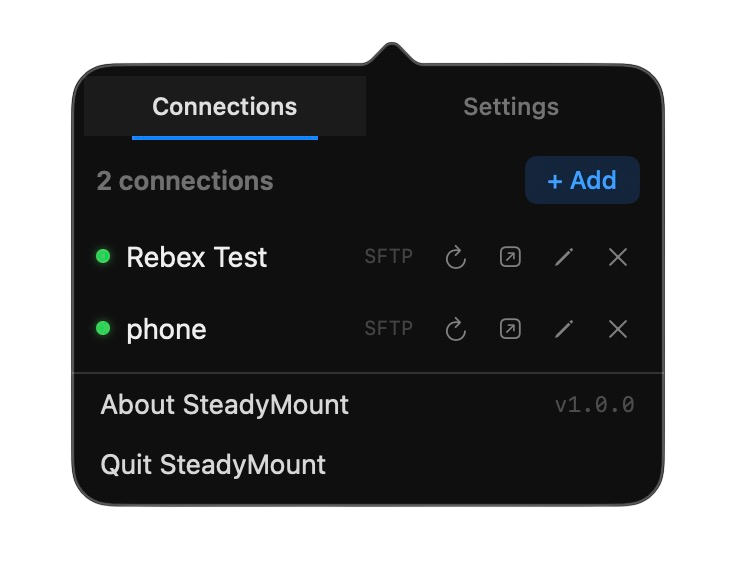
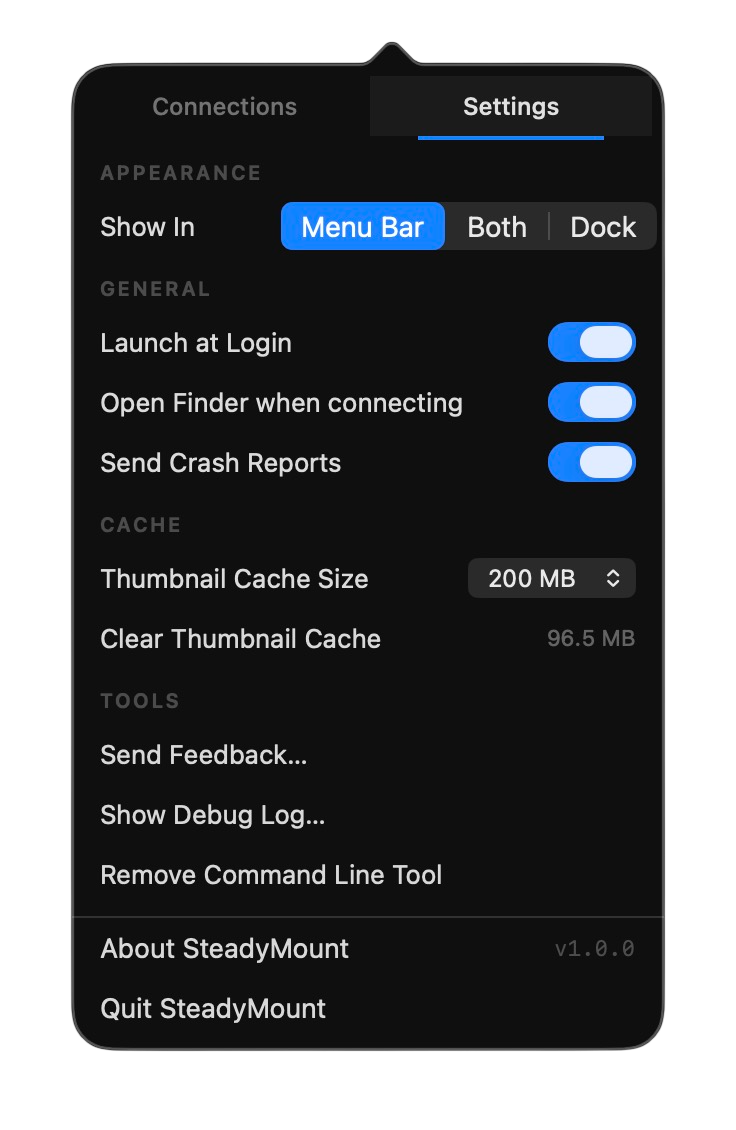
A menu bar app that does one thing and does it well.

Everything you need. Nothing you don't.

Silent Reconnection
Network dropped? SteadyMount reconnects in the background. No popup. No Finder freeze. You won't even notice.
No Kernel Extensions
Built on Apple's File Provider API. No macFUSE, no SIP changes, no security warnings. Runs fully sandboxed.
Menu Bar App
Lives in your menu bar, out of your way. One click to see all connections. No Dock icon, no clutter.
SSH Key Auth
ED25519 and RSA keys. Password auth too. TOFU host key verification keeps you safe from MITM attacks.
One-Time Purchase
Free for 30 days. After that, one connection stays free — $27.99 unlocks unlimited connections forever. No subscription. All v1.x updates included — bug fixes, macOS compatibility, and new features.
CLI + URL Scheme
Script it. steadymount add from Terminal. steadymount:// URLs for one-click setup.

Three steps. Under a minute.

1

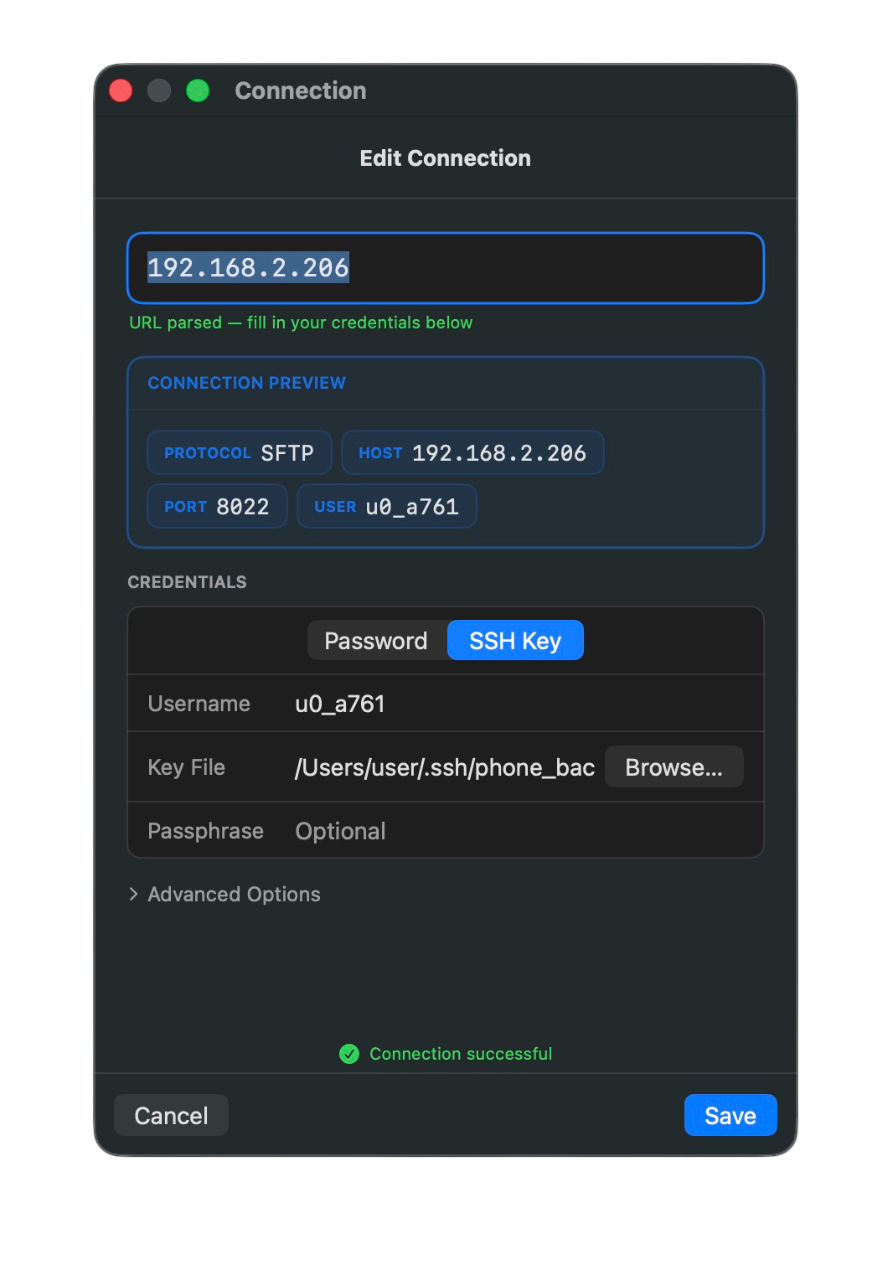
Add a server

Type a hostname or paste an address. SteadyMount detects the protocol and fills in the details.

2

Authenticate

Enter your password or select an SSH key. Credentials are stored in your Mac's Keychain, encrypted by the OS.

3

Open in Finder

Your server appears as a drive in the Finder sidebar. Browse, edit, and manage files like they're local.

Try free. Then pay once.

Start with 30 days of full access. After that, keep one connection free — or pay $27.99 once to unlock unlimited connections permanently. No subscription, no annual renewal, no license expiration.

$27.99

30 days free · Then one connection free or $27.99 for unlimited

  • 30 days of full access — no payment upfront
  • SFTP and WebDAV support
  • All v1.x updates included free
  • SSH key auth (ED25519, RSA)
  • CLI and URL scheme automation
  • Silent reconnection — the whole point
  • Affordable upgrade pricing for future major versions
  • No subscription lock-in. Ever.
Coming Soon
Switching from Mountain Duck? We get it. SteadyMount was built because the same tools we relied on either went subscription or disappeared. Try it free for 30 days — one connection stays free after that, or pay once for unlimited. No surprises.
Included with your purchase
  • Bug fixes and security patches
  • macOS compatibility updates
  • Performance and stability improvements
  • UI polish and refinements
  • Quality-of-life features

Everything that makes SFTP and WebDAV work better.

Future major version (v2)
  • New protocols (S3, Google Drive, Dropbox, etc.)
  • Major new capabilities beyond SFTP & WebDAV
  • Discounted upgrade for existing customers
  • Your v1 keeps working — no forced upgrades

Separate purchase, only if and when it ships.

Coming soon.

SteadyMount is on its way to the Mac App Store. Free for 30 days when it launches. One connection stays free after that, no credit card required.

Coming Soon

Support

Having trouble? Found a bug?

Use the built-in feedback form in the app, or email [email protected].